Stripe analytics that shows which traffic paid
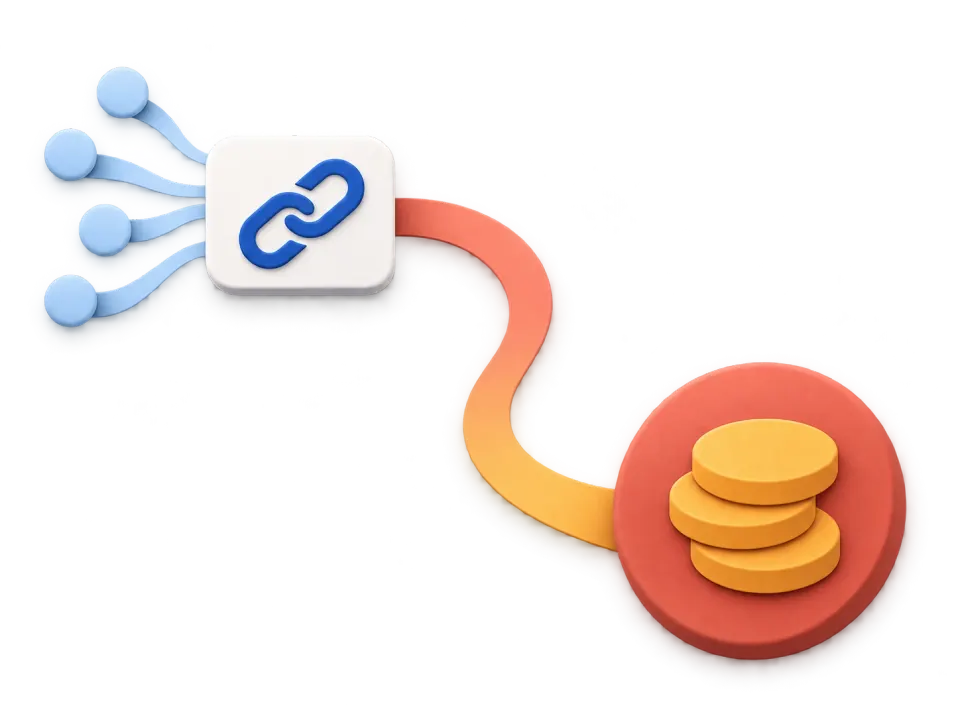
Stripe tells you a payment happened. It cannot tell you which tweet, article, ad or AI assistant produced it, because the visit and the charge are two different systems. This joins them.
Seven days free. No card, no commitment.
- Organic Social2,412$3,120
- Direct1,072$1,240
- Referral771$960
- Organic Search720$580
- AI246$310
- 🇺🇸United States885$2,410
- 🇮🇳India887$140
- 🇬🇧United Kingdom427$980
- 🇩🇪Germany427$760
- 🇧🇷Brazil451$210
Demo data. A Stripe account's revenue would fill these in.
Six questions Stripe cannot answer
Stripe owns everything from the charge onwards. These live in the week before it, and they are the ones that change what you do next.
 Stripe answers this
Stripe’s dashboard is the best place in the world to read your MRR, your churn, your failed payments and your payout schedule. None of that is in question here.
- 8 days ago
 Found a launch tweet
- 8 days agoRead /pricing, left
- 2 days ago
 Came back from a Google search
- TodayRead /pricing again, then paid $99
What it never sees is the hour before the charge: the Google search, the Reddit thread, the newsletter, the pricing page read twice. By the time Stripe is involved, the marketing is over and the evidence is gone.
Which source brought the revenue in Stripe this month, not just the visits
X / Twitter$1,240Organic Search$380 Reddit$0
What a visitor from each channel is worth, so ad spend has a number to beat
X / Twitter$1.90 eachReddit$0.04 eachOrganic Search$0.71 eachWhether AI assistants send people who pay, or only people who read
 ChatGPT$212
 Perplexity$49
 Claude$0
Which campaign’s customers churn, by following the subscription back to its source
launch-tweet12% churnnewsletter-423% churnpaid-search21% churnRevenue net of refunds per channel, rather than a gross number that flatters it
Gross$4,280Refunded−$219Net$4,061How long a buyer takes to decide, so you stop judging a post by the same afternoon
Median time to pay6 daysVisits before paying3Longest this month41 days
Stripe revenue, traced back in three steps
Ten minutes to set up, and you never touch it again.
- 1<script defer2 data-website-id="a7f3c1"3 src="https://geckostats.com/js/script.js">4</script>
1. Add the script
One tag in your <head>, under 2 kB. It is cookieless, so it needs no consent banner anywhere in the EU.
- API
2. Connect Stripe
One webhook endpoint in Stripe, and nothing else in your account changes. Every payment then arrives knowing which visit produced it.
pi_3QaL7xKg2Hd91mZ4$99.00succeeded in Stripecame fromlaunch-tweetX / Twitter · first visit 8 days before3. Open any payment
Every Stripe payment carries the post, search or AI answer behind it, and how long the buyer took to decide. Nothing lands under Direct any more.



Everything you need, nothing you don’t
Six screens answer the question you actually have: what did I do that worked?
Traffic and revenue in one view
Blue shows visitors and orange shows revenue. See how they move together, then drill into the channels and sources behind each spike.
launch-tweet612$497 newsletter-42388$245
 ig-reel1,120$98
 podcast-ep1294—
Know exactly which post worked
A tagged link per tweet, article or newsletter. It shows up by name, with the visitors and the revenue it brought, even when they buy two weeks later.
Every customer’s full journey
Who paid, where they came from, how long it took. Open anyone and read every page and click from first visit to payment.

 Chrome
- 7:31 PM/pricing
- 7:33 PMcheckout_click on /pricing
- 7:35 PMPaid $49
- 9:02 AM/blog/ship-faster
X / Twittercampaign: launch-tweet2m 40s- 2:14 PM/
- 2:15 PM/pricing
Watch it happen live
A real-time globe with everyone on your site right now, and a feed of pages, goals and payments as they land. Turn the sound on and hear every sale.
- Payment $49 · credited tolaunch-tweet
- Pageview /pricing ·🇵🇱 Warsaw
- Goal checkout_click · came fromChatGPT
- Pageview /blog/ship-faster ·🇺🇸 Austin
What Google sends you, and what it is worth
Connect Search Console once. Every query, page and country you rank for, with the money beside it, ranked by what it earns rather than by how loud it is.
AI reads your site. See what it took and what it sent back.
ChatGPT, Claude, Perplexity and Gemini crawl you whether you watch or not. Every agent by name, against the visitors and the revenue they sent back.
ChatGPT23061$212Claude14228$98Perplexity8819— Gemini647—
And 9 more, on every plan
Starter and Growth both include every one of these, at every size.- Revenue attributionStripe, Dodo Payments, Polar and Creem out of the box. Anything else with one API call.
- Goals and funnelsButton clicks and signups as goals, then step-by-step drop-off between them.
- One-click filtersClick any row, a source, a country, a campaign, and the whole dashboard follows.
- Subscriptions and MRRMRR, churn and lifetime value by source: which channel brings customers who stay.
- AlertsTracking stopped, revenue down, organic clicks down, a page deindexed, a query dropped five places.
- Release markersOne curl at the end of your deploy puts a tag on the chart, so a drop can be read against what you shipped.
- RetentionWho came back, week by week, and what the returners were worth.
- Share as an imageYour period rendered to a PNG, ready to post, drawn from the numbers rather than screenshotted.
- No cookies, no bannerA visitor is a salted hash that rotates every day and the IP is never stored. Nothing to consent to.
Works with your AI tool
Add the GeckoStats MCP server and Claude, Cursor or ChatGPT can read your Stripe revenue the same way the dashboard does.
Via ChatGPT
Connect over MCP and let it explain last week.
ChatGPT- New chat
- Search chats
- Library
ChatsChatGPT 5Ask anything- Claude
- New chat
- Chats
- Projects
- Artifacts
RecentsClaude Sonnet 4.5Reply to Claude…Sonnet 4.5Via Claude
Add the server as a custom connector and ask about your own numbers.
Via Claude Code
One command in the terminal, then it reads traffic, revenue and funnels.
Claude Code~/sites/nimbus✻ Welcome to Claude Code!/help for help, /status for your current setupcwd: ~/sites/nimbus>? for shortcuts Grok
- New chat
- History
- Tasks
TodayGrok 4Ask anythingGrok 4Via Grok
The same server, the same answers, from Grok.
Via Cursor
The same 26 tools, from the editor you write your site in.
nimbusappcomponentslibpricing.tsxlayout.tsx pricing.tsxAgentPlan, search, build anythingSonnet 4.5
- Gemini CLI~/sites/nimbus
 ██████  ███████ ███    ███ ██ ███    ██ ██
██       ██      ████  ████ ██ ████   ██ ██
██   ███ █████   ██ ████ ██ ██ ██ ██  ██ ██
 ██████  ███████ ██      ██ ██ ██   ████ ██
Tips: /mcp lists connected servers · geckostats (26 tools)>Via Gemini CLI
Point it at the server and ask which page is worth another post.

claude mcp add --transport http geckostats \
  https://your-stats.com/api/mcp \
  --header "Authorization: Bearer ml_…"
- 26 tools: overview, sources, pages, goals, funnels, customers, search queries, live view
- Ask it which channel brought this month's Stripe revenue and it answers from your own data
- One key per website, rotate it whenever you like
Selling through something else as well?
Connect as many as you like. One dashboard, one revenue number.
Simple pricing, seven days free
Every size includes Stripe, every other provider, Search Console, the AI assistant and the MCP server.
Starter
For one site and one person.
Billed monthly · up to 100K events
No commitment. Cancel anytime.
- Realtime dashboard
- Live Globe
- User Profiles
- Funnels
- Revenue tracking
- Core Web Vitals
- and 9 more, on every plan
Growth
RecommendedFor several sites and the people who work on them.
Billed monthly · up to 100K events
No commitment. Cancel anytime.
- Realtime dashboard
- Live Globe
- User Profiles
- Funnels
- Revenue tracking
- Core Web Vitals
- and 9 more, on every plan
Every plan starts with 7 days free. No commitment, cancel anytime. Prices exclude VAT, which may apply at checkout.
Stripe questions
Does this replace the Stripe Dashboard?
No, and it would be a worse version of it if it tried. Stripe owns the billing questions: who is subscribed, what failed, when you get paid. This owns the one question Stripe structurally cannot answer, which marketing produced the revenue, and sends you back to Stripe for the rest.
Will a subscription’s first payment be counted twice?
No. A subscription’s first charge arrives as both checkout.session.completed and invoice.paid. The handler writes both under the invoice id, so they collapse into one payment rather than doubling the month.
What about partial refunds?
Stripe reports amount_refunded as a running total, so a second partial refund replaces the first row rather than adding to it. A channel that sells well and refunds often shows its real number.
Do I need to send Stripe customer data anywhere?
No. The webhook goes straight from Stripe to your dashboard and the payment is stored against your site alone. Nothing is forwarded to a third party, and nothing is shared with other customers.
How long does this take to set up?
Under ten minutes. A script tag on your site, one webhook endpoint pasted into Stripe, and you are done. If you sell through Stripe Payment Links there is no code at all: the tracker writes the visitor into the link's client_reference_id for you, which is the usual reason attribution quietly fails on links elsewhere.
Will it slow my site down?
The tracker is under 2 kB, loads with defer and fetches nothing at runtime. It also reports your Core Web Vitals from real visits, so you can watch that claim rather than take it.
Do I need a cookie banner?
Not for this. Tracking is cookieless by default and stores nothing on the visitor's device, so there is nothing to ask consent for. Do Not Track and Global Privacy Control are honoured, and the IP is never stored.
I already use Google Analytics. Why add this?
GA can tell you a conversion happened. It cannot tell you that this particular Stripe payment of $99 came from a tweet eight days ago, because it never sees your Stripe account. If you only want traffic counts, keep GA. If you want the money attached, that is this.
What if a customer takes weeks to decide?
The visit and the payment are joined whenever the payment arrives, not within a session window. A customer who first read a post in March and subscribed in May still credits that post.
Connect Stripe and see what paid.
Add the script, add one webhook, and every Stripe payment arrives with the visit that produced it.
7 days free · no commitment · cancel anytime